

Premium AI coding tools have transformed how developers work, but the cost of multiple subscriptions quickly becomes a burden. Services like ChatGPT Plus, Claude, and Grammarly each demand monthly payments that add up to hundreds of dollars per year. For many users, these tools are not used daily, making the ongoing expense hard to justify. Running local large language models (LLMs) on your own hardware eliminates recurring fees entirely. Once you invest in a capable machine, there are no token charges, no usage caps, and no risk of price hikes. This article details how you can replace three common subscription apps with a single local LLM setup, saving money while keeping your data private.
The shift to local AI is more practical than most people realize. Open-source models have matured rapidly, with offerings like Qwen2.5-Coder, Llama 3, Mistral, and Microsoft Phi-3.5 matching the performance of many paid cloud services. Tools such as GPT4All, Ollama, and LM Studio provide user-friendly interfaces to download, manage, and run these models on Windows, macOS, or Linux. Even a modestly priced machine—around $200—can handle efficient models, and the hardware pays for itself within months. By contrast, a single year of ChatGPT Plus and Claude costs $480, not counting additional services like Grammarly Premium at $144 annually. The combined savings quickly exceed the cost of a dedicated local server.
Premium AI tools are great until the bills start hitting
Subscriptions for coding assistants are a heavy monthly tax that adds up quickly
When I first adopted AI coding assistants, the productivity gains were undeniable. However, the expenses began to stack up. I subscribed to ChatGPT Plus for general reasoning and brainstorming, Claude for longer context tasks, and Grammarly for writing polish. Each service charged around $20 per month, and cloud-based code assistants often added per-token billing for heavy usage. After a few months, I realized I was paying for capabilities I only used occasionally. The decision to switch to local models came from a desire to eliminate this financial drain while maintaining—or even improving—the quality of assistance.
Local models have advanced to the point where the trade-off is minimal. Open-source projects like Ollama and LM Studio allow you to run models such as Llama 3 (8B), Mistral (7B), and Qwen2.5-Coder (3B and 7B) directly on your computer. These models handle complex reasoning, code generation, and writing assistance effectively. The key advantage is privacy: every request stays on your hardware, never leaving your network. This is especially important when working with sensitive code or personal documents. Additionally, you are not subject to service shutdowns, pricing changes, or feature removals that often plague cloud providers.
I started with a used desktop computer I already owned, costing roughly $200. After installing GPT4All and downloading the Qwen2.5-Coder-3B model, I had a fully functional local AI assistant. The initial setup took less than an hour. Over the following year, I saved over $600 by canceling my subscriptions. The hardware paid for itself in about four months. Since then, the savings have been pure profit.
You would save and gain a lot more than you'd think
All these subscriptions are gone
The most obvious savings come from replacing general-purpose chatbots. ChatGPT Plus and Claude together cost $40 monthly, or $480 yearly. Local tools like GPT4All let you run open-source models such as Llama 3, Mistral, or Qwen for free. That single swap recovers nearly half a thousand dollars each year. But the savings don't stop there.
Writing assistants like Grammarly are often bundled into subscription stacks. Grammarly Premium costs $144 per year and frequently pushes its paid tiers. The AI suggestions can feel forced and inauthentic. I also experienced intermittent connectivity issues tied to Grammarly's cloud servers. By running a small local model like Microsoft Phi-3.5 Mini (3.8B) or Llama 3.2 (3B) directly on my desktop, I eliminated those problems. Grammar checks happen instantly, without any network latency or data transmission. I can iterate on a paragraph as many times as I want without hitting any limit or paying extra. Grammarly has become less compelling as free local alternatives have matured.
When my editor asks for code suggestions or file analysis, everything stays local. No request ever leaves my machine. There are no usage caps, and I don't wait for a company to decide which features I get at which price tier. For this kind of confidential work, using my own system is far more secure. GPT4All may lack advanced team features, but its interface and local API are perfect for evaluating whether local AI fits your needs.
Qwen and GPT4All are all you need
You can link local models to your code editor with a few clicks
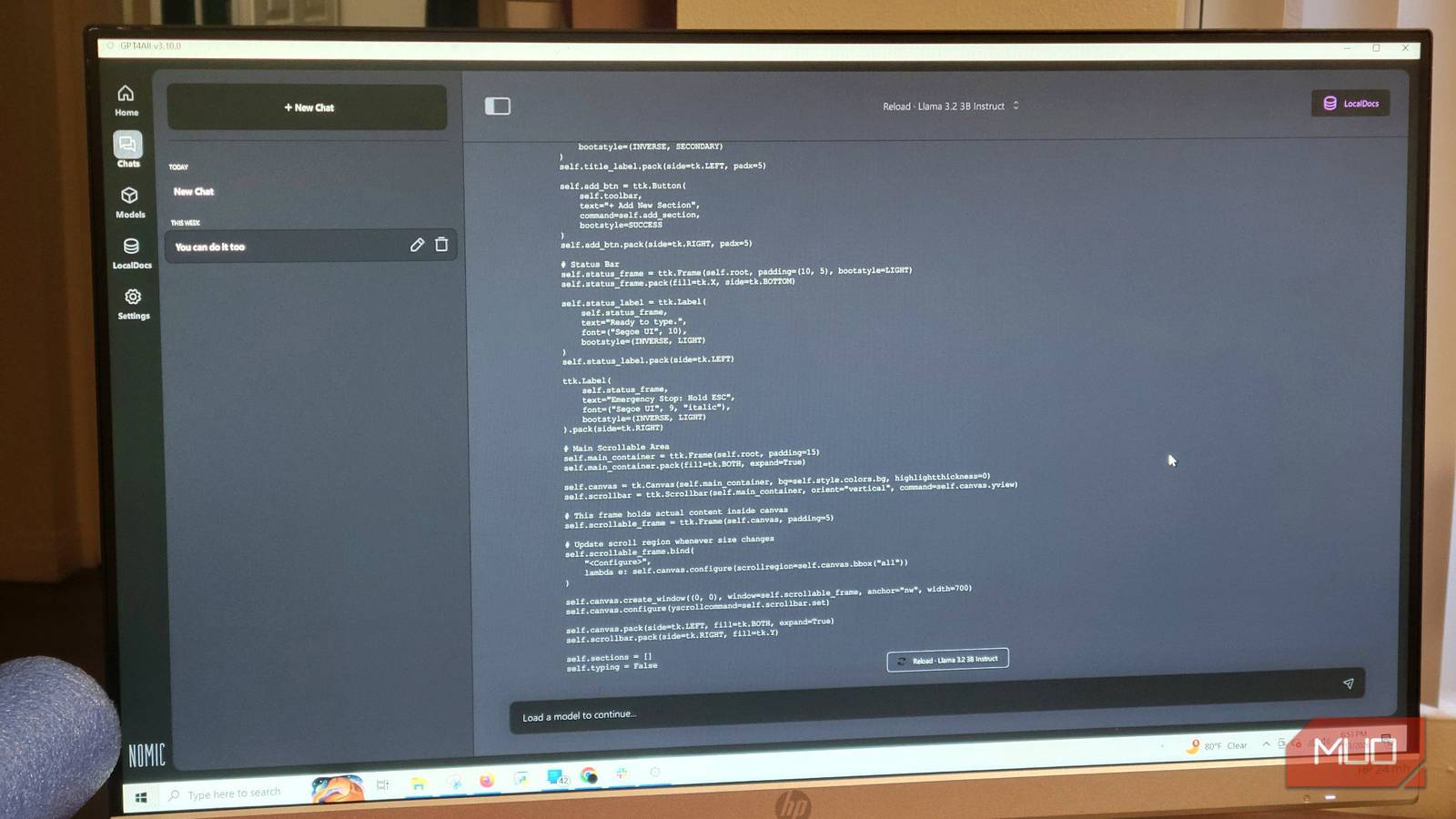
Setting up local AI does not require a computer science degree. I chose GPT4All because it offers a straightforward graphical interface and is less restrictive than LM Studio. The process begins by downloading GPT4All and opening its Model Hub. There, you can browse and download open-source models directly within the application. I selected Qwen2.5-Coder-3B, a model that balances small size with strong performance for coding and general tasks.
To install the model, simply click the download button next to the desired version. No manual file management is needed. Once downloaded, the model appears in your list. If your computer has limited resources, close other applications to allocate more memory. I encountered some lag on my main machine, so I dedicated an older PC as a server for heavy models. This approach ensures that my primary computer remains responsive. After loading the model, go to the settings and navigate to the Model section. Increase the Max Length parameter to 4096 tokens—or higher if your system can spare more RAM—to allow longer responses and context.
Connecting the local model to your code editor is equally simple. GPT4All provides a local API that integrates with tools like Visual Studio Code through extensions such as Continue. Once configured, you can request code completions, explanations, or debugging assistance directly from your editor, all processed locally. The latency is minimal for small models, and the quality is often comparable to cloud-based assistants.
Save some money and use your equipment to the limit
The upfront cost of switching to local models is lower than most people expect, and the monthly savings manifest immediately. You eliminate usage limits, pricing changes, and data privacy concerns. GPT4All serves as an ideal starting point for testing local AI without committing to complex setups. Once you have a model running locally and linked to your code editor, the rationale for paying monthly subscriptions becomes weak. Local LLMs empower you to harness AI on your own terms, with full control over your data and expenses.
In practice, the transition involved canceling three subscriptions: ChatGPT Plus, Claude Pro, and Grammarly Premium. I also stopped using several cloud-based coding assistants. The local setup now handles all my everyday needs—drafting emails, writing code, proofreading articles, and analyzing files. The only ongoing cost is electricity, which for a low-power server is negligible. For users who already own a decent computer, the barrier to entry is nearly zero.
Open-source models continue to improve. The release of Qwen3-Coder and Llama-3.2 further narrowed the gap with proprietary models. The community actively develops fine-tuned versions for specialized tasks. As hardware becomes more affordable, running even larger models like 13B or 70B locally becomes feasible. The future of personal AI is offline, private, and cost-effective.
Source: MakeUseOf News