

For as long as I can remember, journaling on paper has been a cherished ritual. As a child, I would seek out cute diaries, the kind that invite you to pour your thoughts without hesitation. Those pages held half-formed ideas, random doodles, and whatever occupied my mind at the moment. I have filled over twenty diaries over the years, journaling and sketching through different stages of childhood.
It became a quiet family tradition. Each new year, my parents would gift me a fresh diary, a gesture that still means a lot. It showed they understood how deeply I valued journaling as a source of comfort. There's something irreplaceable about pen meeting paper, and that feeling remains close to my heart.
But as technology seeps into every aspect of life, adaptation is natural. I never fully embraced digital journaling—typing thoughts doesn't capture the same essence. However, an AI-powered journaling app called Life Note caught me off guard. I went in with low expectations and emerged pleasantly surprised by how thoughtfully it integrates into the journaling process.
What’s Life Note All About?
A Private Way to Write, Reflect, and Grow
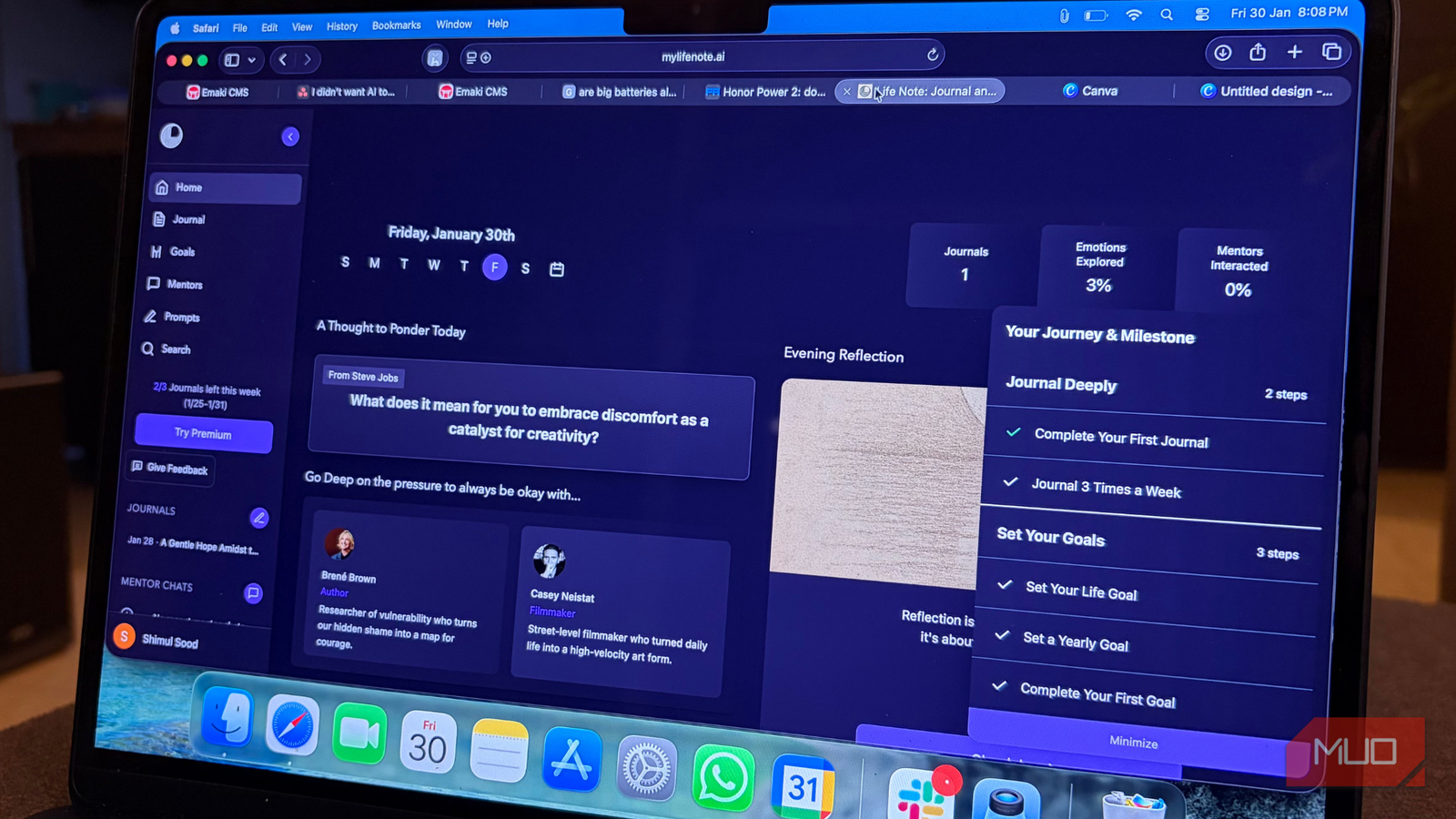
Life Note is an AI-powered journaling app that lets you write freely while serving as a personal growth companion. At its core, it preserves the traditional feel of journaling—you simply write whatever is on your mind. The difference is that an interactive AI sits alongside you, helping you reflect, understand patterns, and grow over time.
The app offers insights, guidance, and fresh perspectives through AI mentors inspired by historical figures. As you write, the AI can support self-reflection, goal-setting, and ask thoughtful questions. This makes the process feel more intentional, especially on days when you're unsure what to write or how to process certain thoughts.
What stands out is the personalized guidance. Life Note adapts to your entries and offers advice to manage negative thinking, encourage positive habits, and support a healthier mindset. If you feel stuck or fall back into old patterns, the AI tracks your progress and nudges you in the right direction. The structured question-and-answer format helps you dig deeper into your thoughts, building stronger self-awareness over time.
Privacy is a priority. Life Note uses AES-GCM encryption to keep your journal entries secure. AES-GCM (Advanced Encryption Standard in Galois Counter Mode) ensures data confidentiality and authenticity. Your thoughts stay yours, safe from prying eyes.
My Experience with Life Note
More Than Writing—It Felt Like Being Heard
Before diving into my experience, it's important to know where you can use Life Note. The app is available on the web, iPhone (App Store), and Android (Google Play Store). There's also a Discord community. I prefer a large canvas for journaling, so starting on the web felt natural. The extra space makes a difference. When traveling, I switch to my iPhone, though it doesn't feel as enjoyable as a larger screen.
Getting started on the web was refreshingly simple. First, select your language, then choose your primary goal for journaling. There are six options—I chose Creativity. What I liked is that the choice isn't permanent; you can change it anytime, which makes sense as goals evolve. After that, the app walks you through a few 'Did You Know' prompts about journaling. Even if you journal regularly, reading them sets the tone and explains Life Note's approach.
Once ready, you write in a clean, unintimidating interface. You can select your Wisdom Council—essentially an AI mentor. I chose Steve Jobs due to my interest in technology, but you can pick anyone. At the bottom, options let you add a journal prompt or link your entry to a personal goal. These features are simple but useful when you need direction.
After writing, you click 'Save'. This is where the surprise hit me. Your chosen mentor analyzes your entry and responds with a personalized message. Reading that message left me feeling shocked, surprised, and oddly comforted. It felt personal, as if it said exactly what I needed to hear that day.
When I journal on paper, the relief comes from getting thoughts out of my head. That alone helps. But Life Note goes further: it explains your thoughts, highlights patterns, and frames them through the lens of your chosen historical figure. This extra perspective sets it apart.
I'm impressed. Everything I used was the free web version. There is a premium tier offering lifetime mentor chats, multiple perspectives, a weekly reflection letter, and priority support for $6.66 per month or $79.99 per year. That feels reasonable for deeper guided reflection, but I'm happy with the free version—journaling is about pouring thoughts out freely, and Life Note supports that well without asking for more.
A Modern Journal with an Old Soul
There's no shortage of journaling apps today, some even pre-installed. But as AI reshapes technology, the idea of journaling has quietly evolved. I never imagined reflecting on my thoughts alongside a historical figure. Yet having that perspective—borrowing their way of thinking—feels oddly grounding.
The AI mentor experience doesn't feel robotic or forced. It feels like a conversation that takes you on an emotional loop and leaves you feeling lighter. That sense of being heard stayed with me long after I closed the app.
If you still find comfort in pen and paper, I understand. Nothing truly replaces that feeling. But Life Note is worth trying at least once, without expectations. Let it sit with you for a bit, then decide. Chances are, you'll walk away appreciating this new way of journaling more than you expected.
Source: MakeUseOf News